 SHADOVANCE
What it does
There are no tiers and nothing to unlock. Every licence includes all of it.
Quotes
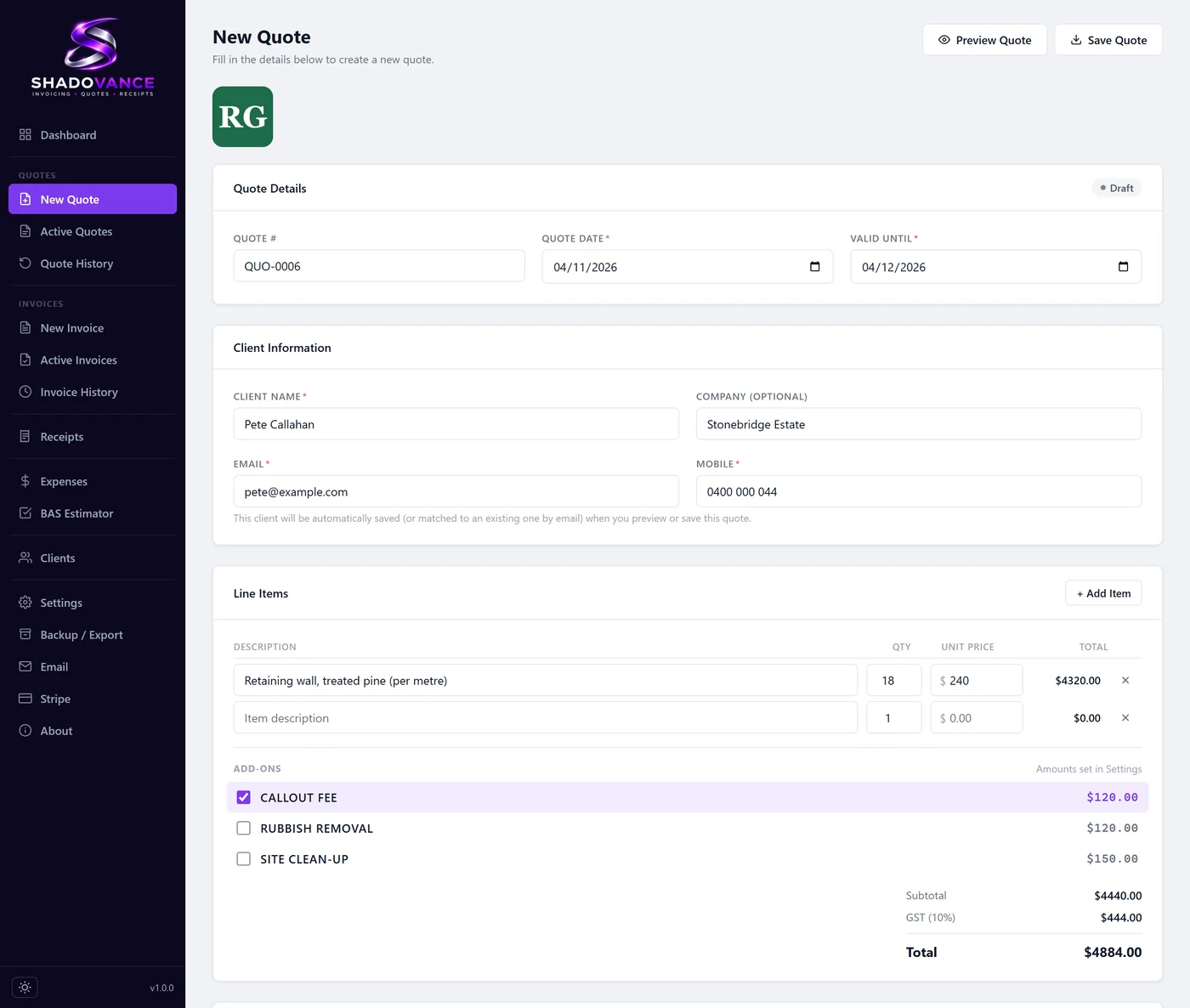
Add your line items with a quantity and a price, tap in your usual extras like a callout fee, and send the quote as a PDF with your logo, ABN and terms on it.
- Preset extras you can add in a tap
- GST worked out on every quote
- Track each quote as sent, approved, declined or expired
Invoices and card payments
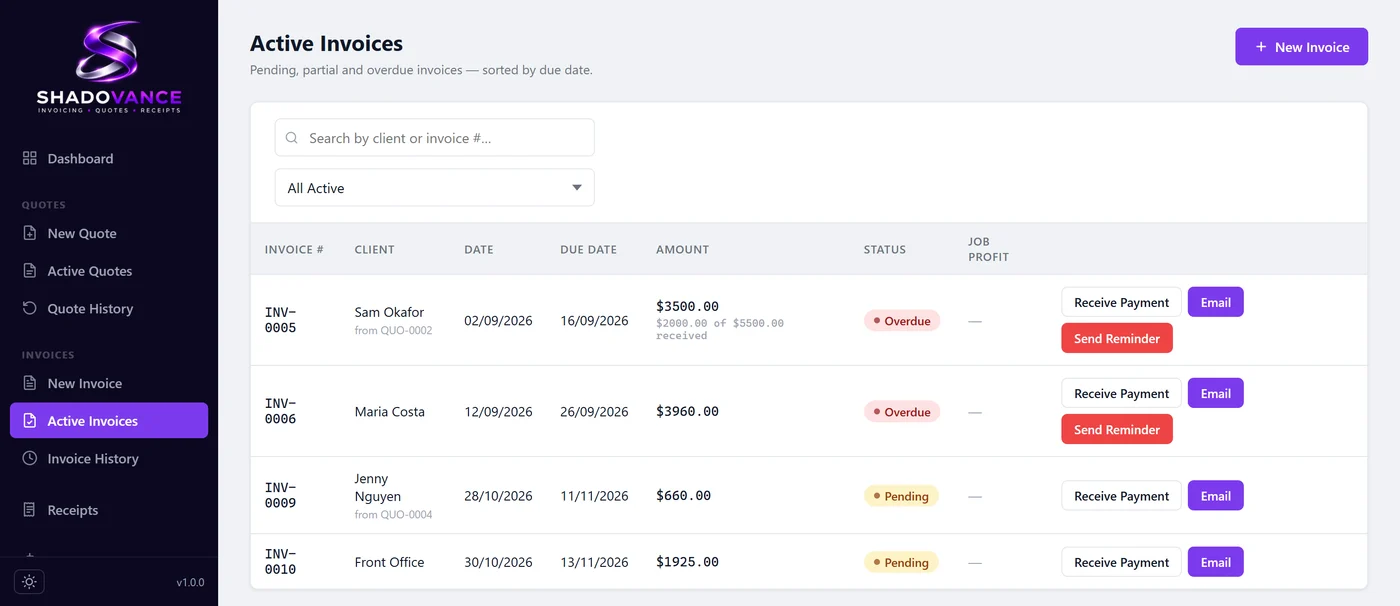
When a job's approved, one click turns the quote into an invoice. Every invoice shows whether it's pending, part paid or overdue. Connect Stripe and your emailed invoices get a Pay Now link, so clients can pay by card from their phone.
- Deposits and part payments tracked, with the balance still owing shown on the invoice
- One-click overdue reminders
- Paid invoices get a PAID stamp automatically
Receipts
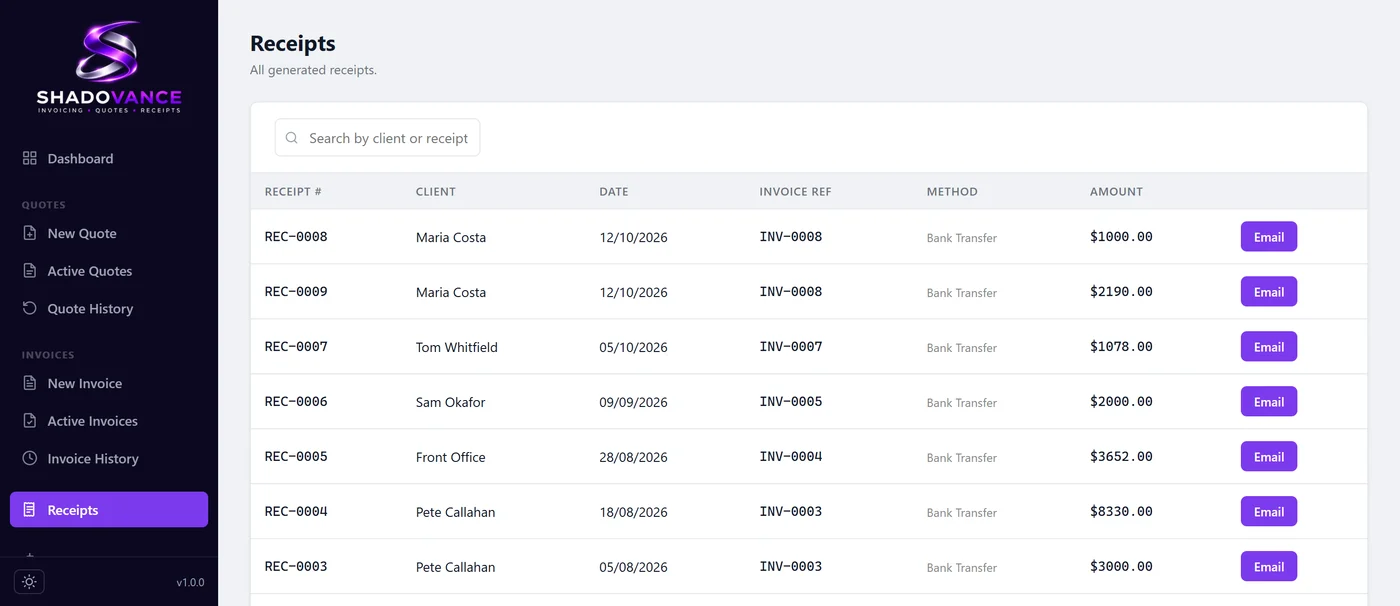
Every payment gets a receipt, whether the client paid by card or you recorded a bank transfer. It's saved as a PDF in your financial year folder, and you can email it in one click.
- Shows the balance left after a part payment
- Saved in the right financial year folder
- Email it straight to the client
Your clients
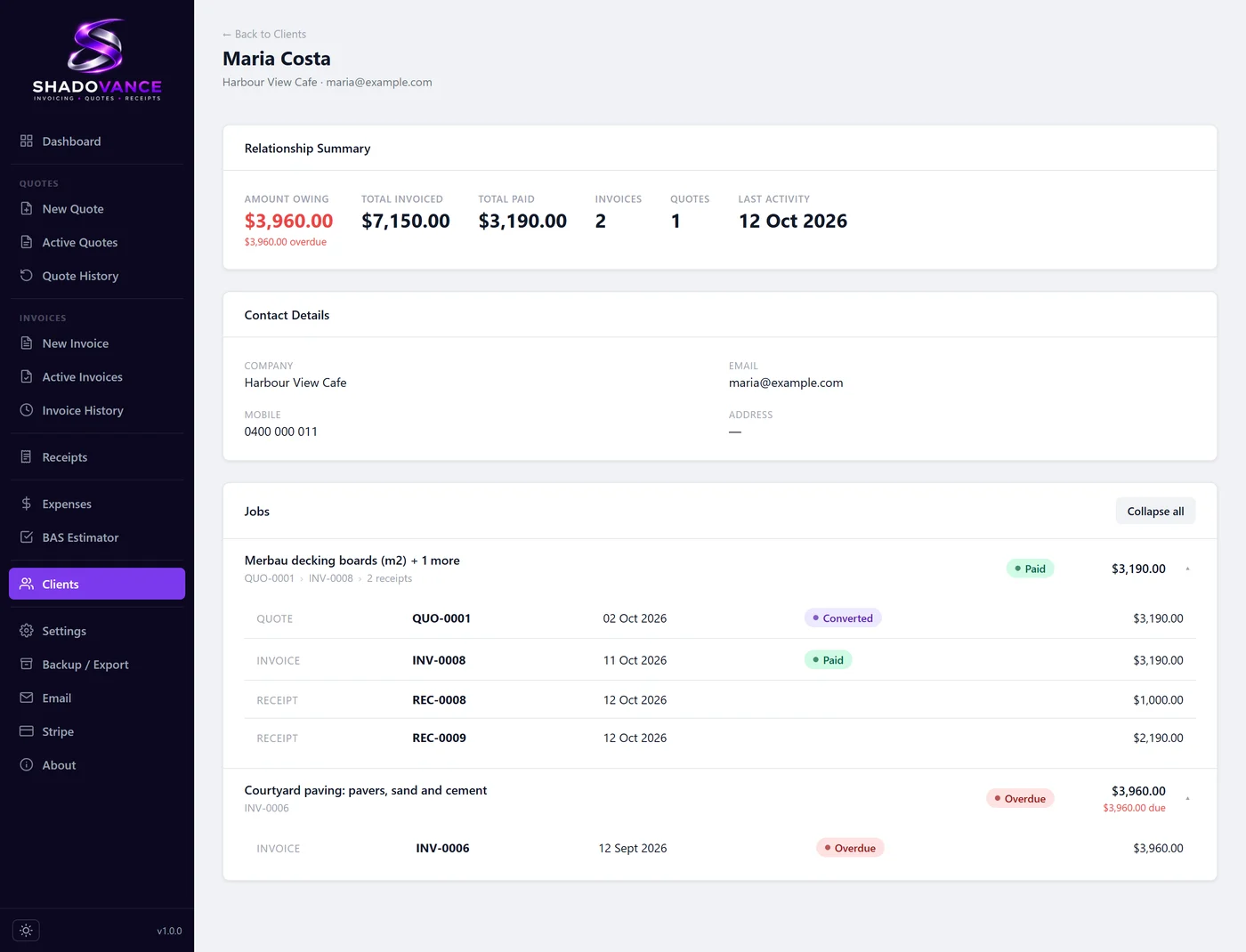
Each client has a page with their quotes, invoices and receipts grouped by job, and what they owe you at the top. When someone asks what you quoted them, the answer is one click away.
- Each job shown as quote, then invoice, then receipts
- Amount owing and last activity at a glance
- Open any document straight from the page
Expenses
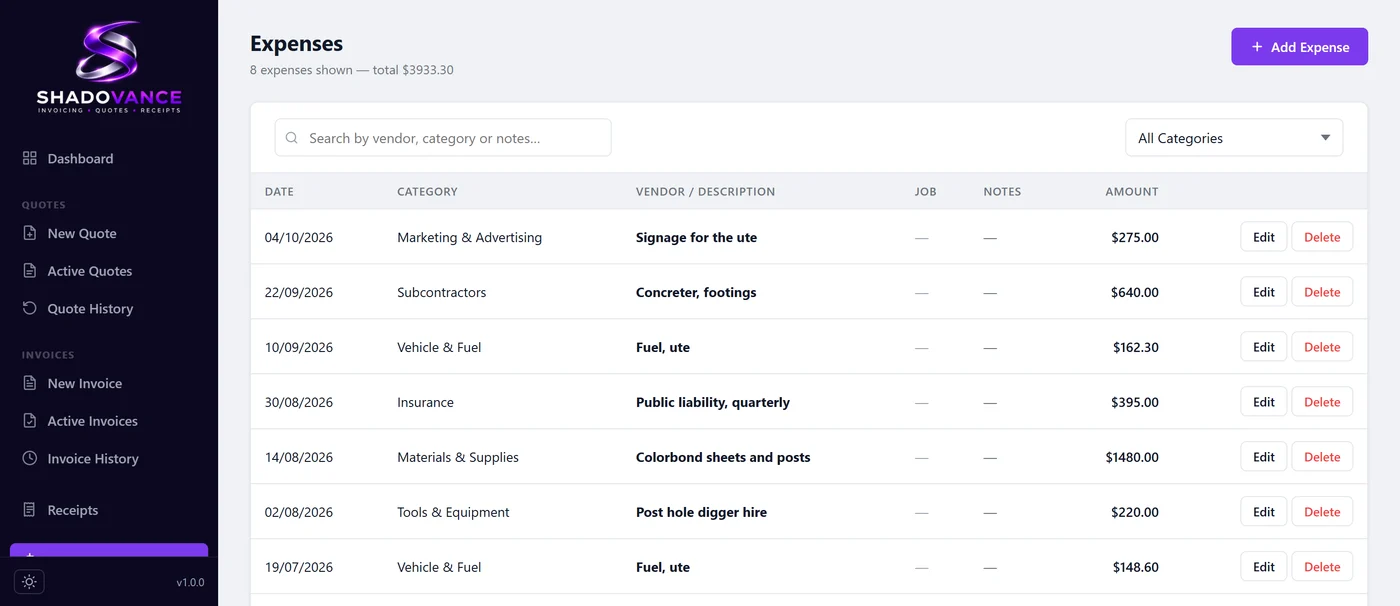
Log materials, fuel, subcontractors and overheads as you spend them, and link a cost to the job it belongs to. You'll see what a job actually made you.
- Categories that suit the trades
- GST treatment set on each expense
- Feeds your GST estimate
GST and BAS
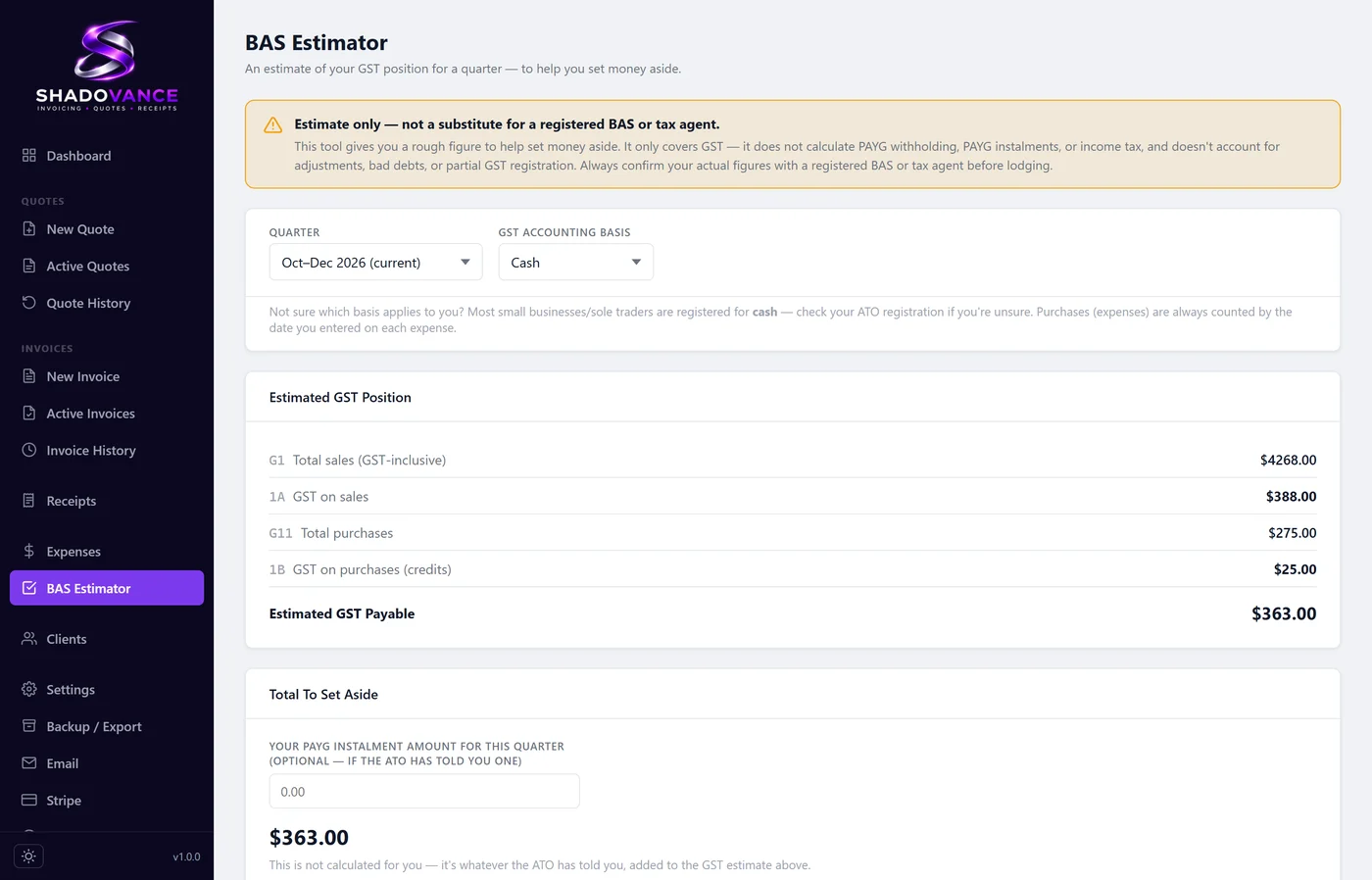
Shadovance works out an estimated GST position for any quarter from your real invoices and expenses, so the BAS isn't a surprise. It's an estimate only, so check it with your accountant or the ATO before you lodge.
- Estimated GST payable, quarter by quarter
- Based on your actual invoices and expenses
Nine ways your documents can look
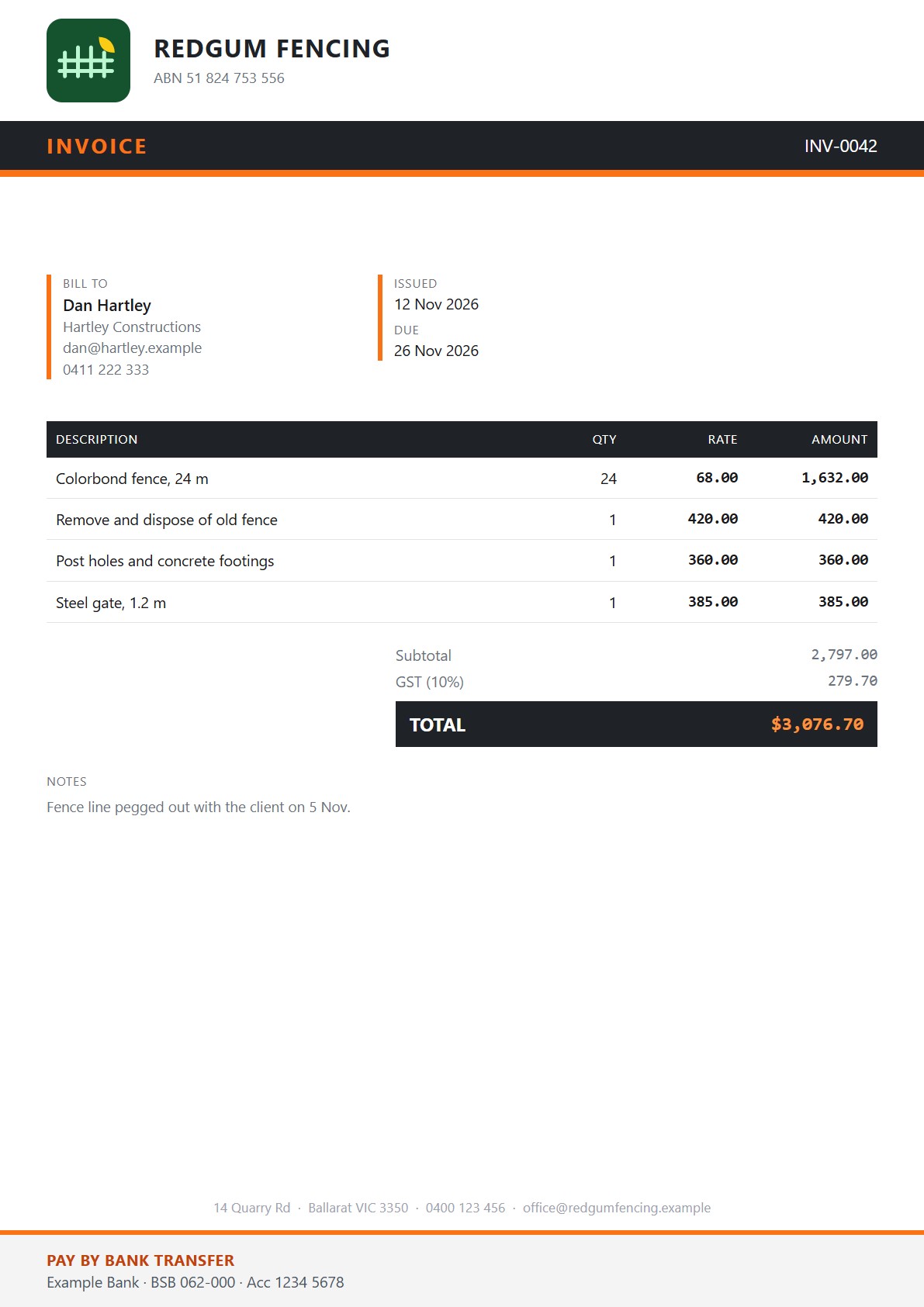
Invoices, quotes and receipts can use any of nine layouts, from plain and tidy to bold and bright. Pick one in Settings. Your logo and business name fit themselves in, whatever shape the logo is.
The smaller things
Your own email
Send from your Gmail or Outlook account, so the email comes from your real address.
Backups
It makes a backup copy once a week, and you can export a full backup whenever you like and keep it wherever suits you.
Client list import and export
Move your client list to another PC, or keep a copy outside the app.
CSV export
Export your invoices to CSV by financial year, ready for your accountant.
A dashboard that fits
Rearrange the widgets, hide the amounts with one tap, and choose light or dark.
Works offline
Nothing needs the internet until you choose to connect email or Stripe.